Free Addition and Subtraction Mystery Pictures
6 mystery pictures with addition and subtraction facts within 20: printable color-by-number worksheets, plus self-checking versions for Google Sheets and Excel.
Free for classroom and home use. Please do not share, upload or sell these files; share the link to the page instead.
The 6 pictures
Each picture has a one-page color-by-number worksheet to print and a mystery file for Google Sheets or Excel (8 questions).
-
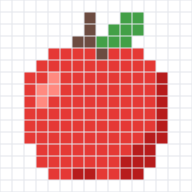 1. Apple Addition, 8 questions Worksheet (PDF) Spreadsheet (.xlsx)
-
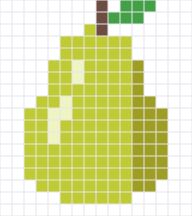 2. Pear Addition, 8 questions Worksheet (PDF) Spreadsheet (.xlsx)
-
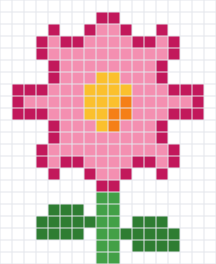 3. Flower Subtraction, 8 questions Worksheet (PDF) Spreadsheet (.xlsx)
-
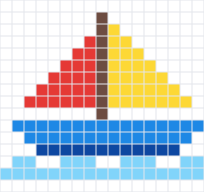 4. Sailboat Subtraction, 8 questions Worksheet (PDF) Spreadsheet (.xlsx)
-
 5. Rocket Addition and subtraction, 8 questions Worksheet (PDF) Spreadsheet (.xlsx)
-
 6. Heart Addition and subtraction, 8 questions Worksheet (PDF) Spreadsheet (.xlsx)
What's inside
- 6 printable color-by-number worksheets (PDF, one page each): white squares with a number in each and the color key under the grid.
- 6 mystery files (.xlsx) for Google Sheets or Excel: apple, pear, flower, sailboat, rocket, heart. Two practice addition, two subtraction and two both, 48 questions in all.
- An answer key with every question, its answer and the finished picture.
- Teacher notes: Google Classroom steps, time needed and ideas for different levels.
How to use it in class
- Upload a mystery file to Google Drive and open it with Google Sheets, or open it in Excel.
- Assign it. In Google Classroom, add the sheet to an assignment and choose "Make a copy for each student", so everyone gets their own.
- Students answer the questions in the yellow cells. Each correct answer reveals part of the picture; a wrong answer turns light red.
- Check at a glance. A finished picture means every answer is right. The answer key has all answers if you need them.
Plan about 10 to 20 minutes per picture. Start with the addition pictures, then subtraction, then the mixed ones. Students who are not ready for a spreadsheet can color the printed sheet of the same picture.
Standards
The facts stay within 20 and practice Common Core 1.OA.C.6 (add and subtract within 20) and 2.OA.B.2 (fluently add and subtract within 20).
Make your own
Want other pictures or skills? The spreadsheet pixel art maker turns any picture or template into a mystery file with math facts or your own questions, and the guide mystery pixel art for teachers has question ideas by grade and Google Classroom tips.
Frequently asked questions
Are these mystery pictures really free?
Yes. All 6 pictures, the printable worksheets, the answer key and the teacher notes are free for classroom and home use, with no sign-up and no email. Please share the link to this page rather than the files.
Does it work with Google Sheets and Google Classroom?
Yes. Upload a mystery file to Google Drive, open it with Google Sheets, then add it to a Google Classroom assignment with "Make a copy for each student". It works in Excel and Excel for the web too.
Which grades is it for?
The facts stay within 20, which matches Common Core 1.OA.C.6 (add and subtract within 20) and 2.OA.B.2 (fluently add and subtract within 20). Many first and second graders can use it, and older students can use it as quick fact practice.
How does the sheet check the answers?
Each correct answer reveals one part of the hidden picture right away. A wrong answer turns light red and reveals nothing, so students can fix it on their own. Capital letters and extra spaces do not matter.
Can I make my own mystery pictures?
Yes. The free spreadsheet pixel art maker turns any picture or template into a mystery file, with math facts or your own questions.