Minecraft Sphere Generator
Build a sphere one layer at a time, with exact blocks for every layer.
Building…
Tap a block to see its coordinates. Grey dashed blocks belong to the layer below.
Wall thickness and world coordinates
- This layer
- –
- Total blocks
- –
- In stacks of 64
- –
- Shulker boxes
- –
- Blocks per row, top-right quarter
- –
- Placed
- 0 of 0 (0%)
Did your file open correctly?
Your answer helps us fix problems fast.
Print layers
Minecraft files and commands
Tested block by block on Java (Paper 1.21.11 with WorldEdit 7.4.2) and Bedrock Dedicated Server 1.26.63. Report a problem
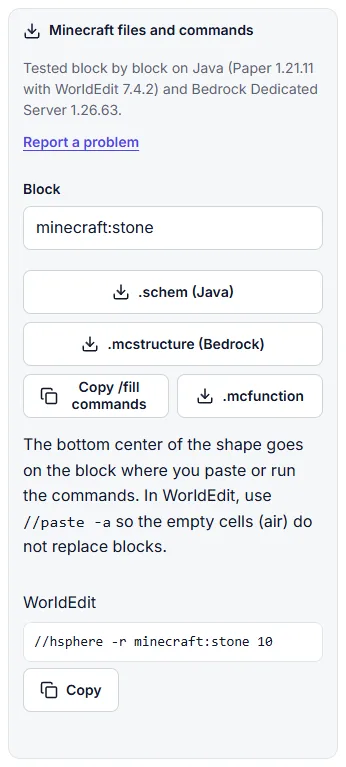
The bottom center of the shape goes on the block where you paste or run the commands. In WorldEdit, use //paste -a so the empty cells (air) do not replace blocks.
All layers
| Layer | Y | Blocks | Placed |
|---|---|---|---|
| Total | – | – |
How to use the sphere generator
- Set the diameter, from 1 to 256 blocks. Unlock the size to set width, height and length separately.
- Pick hollow or filled. Wall thickness (1 to 8 blocks) and your world coordinates are under the settings button.
- Step through the layers with the minus and plus buttons or the slider. Layer 1 is the bottom. Switch to 3D to check the whole shape.
- Track your build. Switch to Track build and tap blocks as you place them, or mark a whole layer done.
- Take it with you: print the layers, download a PNG, copy a share link or get a Minecraft file.
Hollow vs filled spheres
A hollow sphere is a shell, and it is sealed: every block meets its neighbors by a full face, never only at a corner. Water poured inside stays inside, and mobs cannot squeeze through. Use it for underwater bases, glass domes, mob farms and planets you can walk into. A thicker wall costs more but takes longer to break through: a 21-block sphere takes 1,082 blocks with a 1-block wall and 2,024 with a 2-block wall.
A filled sphere is solid all the way through. It suits decorative planets and tree canopies. It gets expensive fast: a filled 21 sphere needs 4,945 blocks, more than four times the hollow one.
Odd vs even sizes
An odd diameter such as 21 has a single center block and one middle layer, the widest one. Everything is symmetric around that block, so a beacon, a door or a spawner can sit exactly in the middle. An even diameter such as 20 has its center between four blocks and two identical middle layers. A hollow 20 sphere takes 968 blocks, a hollow 21 takes 1,082.
Ellipsoids and egg shapes
Tap the lock next to the diameter to set width, height and length on their own. Taller than wide makes an egg or a pill, good for dragon eggs and hot air balloons; lower than wide makes a flattened dome. Width and length can differ too, for a ship hull. Every feature works the same way: layers, 3D, counts, the tracker and the files.
Building layer by layer
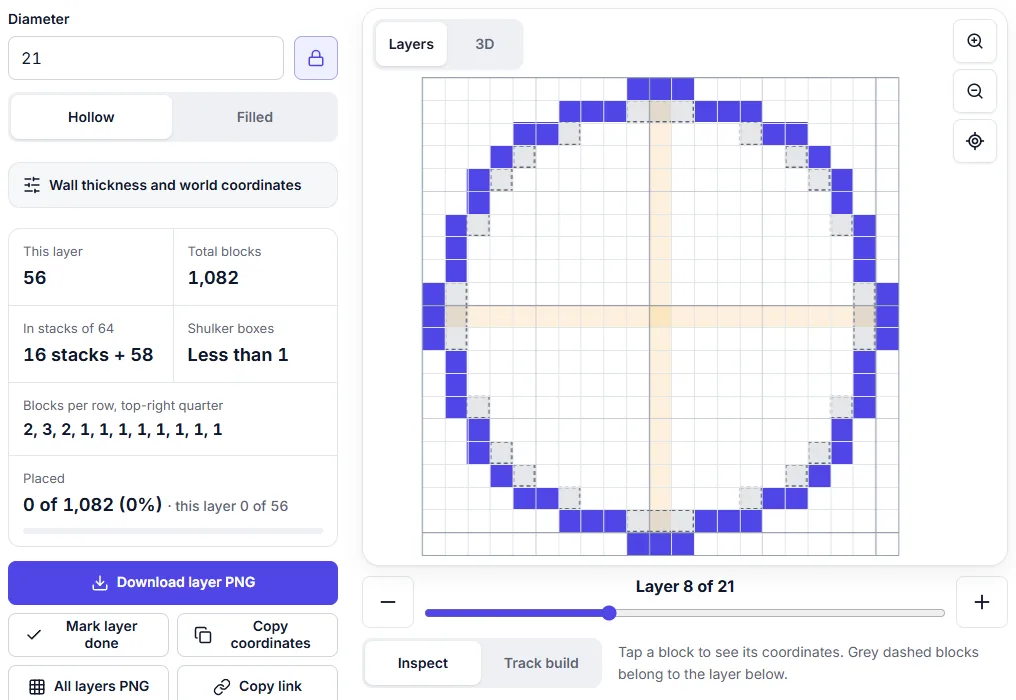
A sphere is a stack of circles, and the middle layer of a hollow sphere is exactly the thin circle of the same size from the circle generator (56 blocks for 21). Start at layer 1 and work up. On each layer the generator shows:
- the blocks of this layer, with bold grid lines every 5 and 10 blocks;
- grey dashed blocks where the layer below reaches further out, so you can line up each new ring with the one under it;
- the blocks per row for the top-right quarter, so you can count from the edge instead of tapping every block;
- "Layer 7 of 21" and, when you enter your world coordinates, the exact Y level.
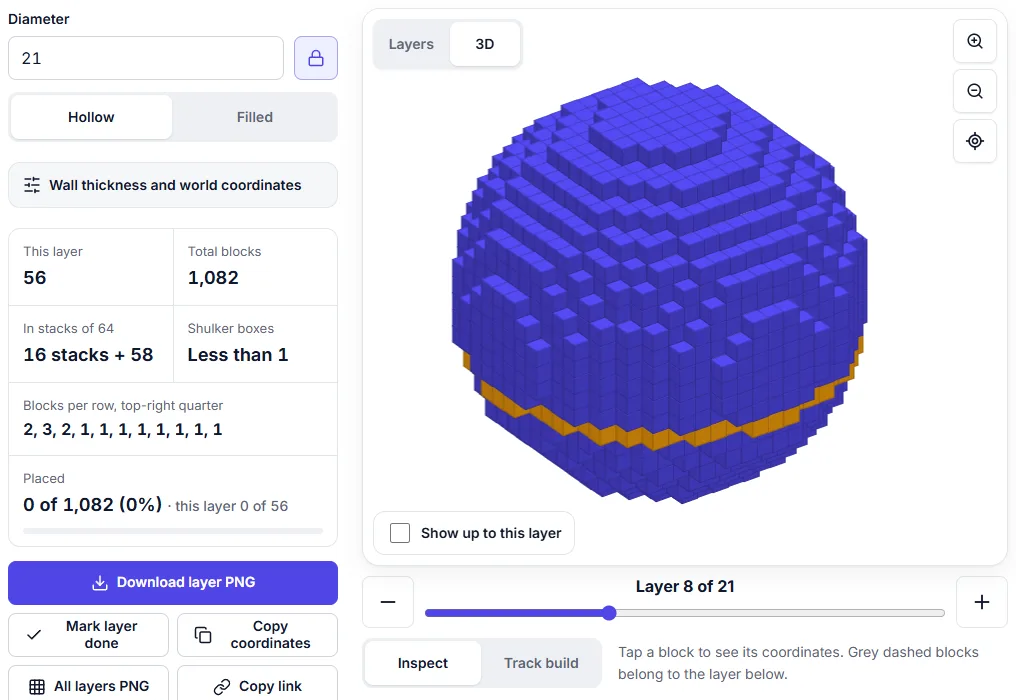
In Track build mode, tap blocks as you place them or use Mark layer done. Progress is saved in this browser for each shape, so you can stop for the night and continue later. The 3D cutaway ("Show up to this layer") shows how far you have come.
Minecraft files and commands
Open Minecraft files and commands under the tool and type a block id (minecraft:stone by default, or minecraft:glass and so on).
- .schem for Java with WorldEdit. Put the file in the WorldEdit schematics folder, stand where the bottom center should go and type
//schem load pixotile-sphere-21-hollow.schem(WorldEdit 7.4 needs the .schem ending) and then//paste -a. The -a keeps the empty inside from replacing blocks that are already there. - WorldEdit command. For odd sizes with a 1-block wall or filled, the panel shows a command such as
//hsphere -r minecraft:stone 10that builds the same sphere with its bottom on your block. - .mcstructure for Bedrock. Put the file in a behavior pack's structures folder and use
/structure load. The corner of the shape goes at the position you give, and empty cells leave existing blocks alone. - /fill commands and .mcfunction. Copy the /fill commands for chat or command blocks, or download a .mcfunction file for a datapack. The bottom center of the shape goes on the block where they run, or at your world coordinates if you entered them.
What was tested: every format was loaded on real servers, Paper 1.21.11 with WorldEdit 7.4.2 for Java and Bedrock Dedicated Server 1.26.63.1. A hollow 9 sphere (186 blocks), hollow and filled 21 spheres and an onion dome were built from the files and compared block by block, with no block out of place. The Bedrock structure block Import screen was not part of the test. If a file does not work for you, use Report a problem in the panel.
Sphere block counts
Counts from the same engine as the generator, with a 1-block wall for hollow spheres. Select a size to open it.
| Diameter | Hollow | Filled |
|---|---|---|
| 5 blocks | 54 | 81 |
| 7 blocks | 98 | 179 |
| 9 blocks | 186 | 389 |
| 11 blocks | 278 | 739 |
| 15 blocks | 530 | 1,791 |
| 21 blocks | 1,082 | 4,945 |
| 25 blocks | 1,550 | 8,217 |
| 31 blocks | 2,382 | 15,515 |
| 41 blocks | 4,242 | 36,137 |
| 51 blocks | 6,642 | 69,599 |
| 64 blocks | 10,464 | 137,376 |
| 75 blocks | 14,406 | 221,119 |
| 101 blocks | 26,342 | 540,113 |
| 128 blocks | 42,408 | 1,099,136 |
Frequently asked questions
How do I build a sphere in Minecraft?
Pick a diameter in the generator, mark the bottom center block in your world, and build one layer at a time from the bottom up. Each layer is a circle; the generator shows its blocks, the blocks per row and where the layer below reaches past it. A hollow 21-block sphere has 21 layers and 1,082 blocks.
How many blocks do I need for a sphere?
The generator shows the exact total, plus stacks of 64 and shulker boxes. A hollow sphere 21 blocks across takes 1,082 blocks (16 stacks and 58); a filled one takes 4,945 (2 shulker boxes, 23 stacks and 17). The table on this page lists common sizes.
Should a sphere have an odd or even diameter?
Odd sizes have one center block and one middle layer, so a door, beacon or pillar can sit exactly in the middle. Even sizes have two identical middle layers and a center between four blocks. Most builders pick odd sizes.
Is a hollow sphere airtight for water?
Yes. Every block of a hollow sphere touches the next one by a full face, with no corner-only gaps, so water cannot flow out and mobs cannot slip in. Thicker walls keep the same sealed outside.
Does it work for Java and Bedrock?
Yes. The layer plan is the same in both editions. For files, use .schem with WorldEdit on Java and .mcstructure on Bedrock; the /fill commands work in both. Every file format was tested block by block on a Java server (Paper with WorldEdit) and on Bedrock Dedicated Server.
Can I make an ellipsoid or egg shape?
Yes. Tap the lock next to the diameter to set width, height and length separately. A taller height gives an egg-like shape: 21 wide and long and 31 high takes 1,458 blocks hollow. A lower height gives a flattened shape for roofs and domes.
How do I paste a sphere with WorldEdit?
Download the .schem file, put it in the WorldEdit schematics folder, stand where the bottom center should go, then type //schem load followed by the file name with .schem at the end, and //paste -a. For odd sizes the panel also shows a //sphere or //hsphere command that builds the same shape.
Last updated: November 13, 2026